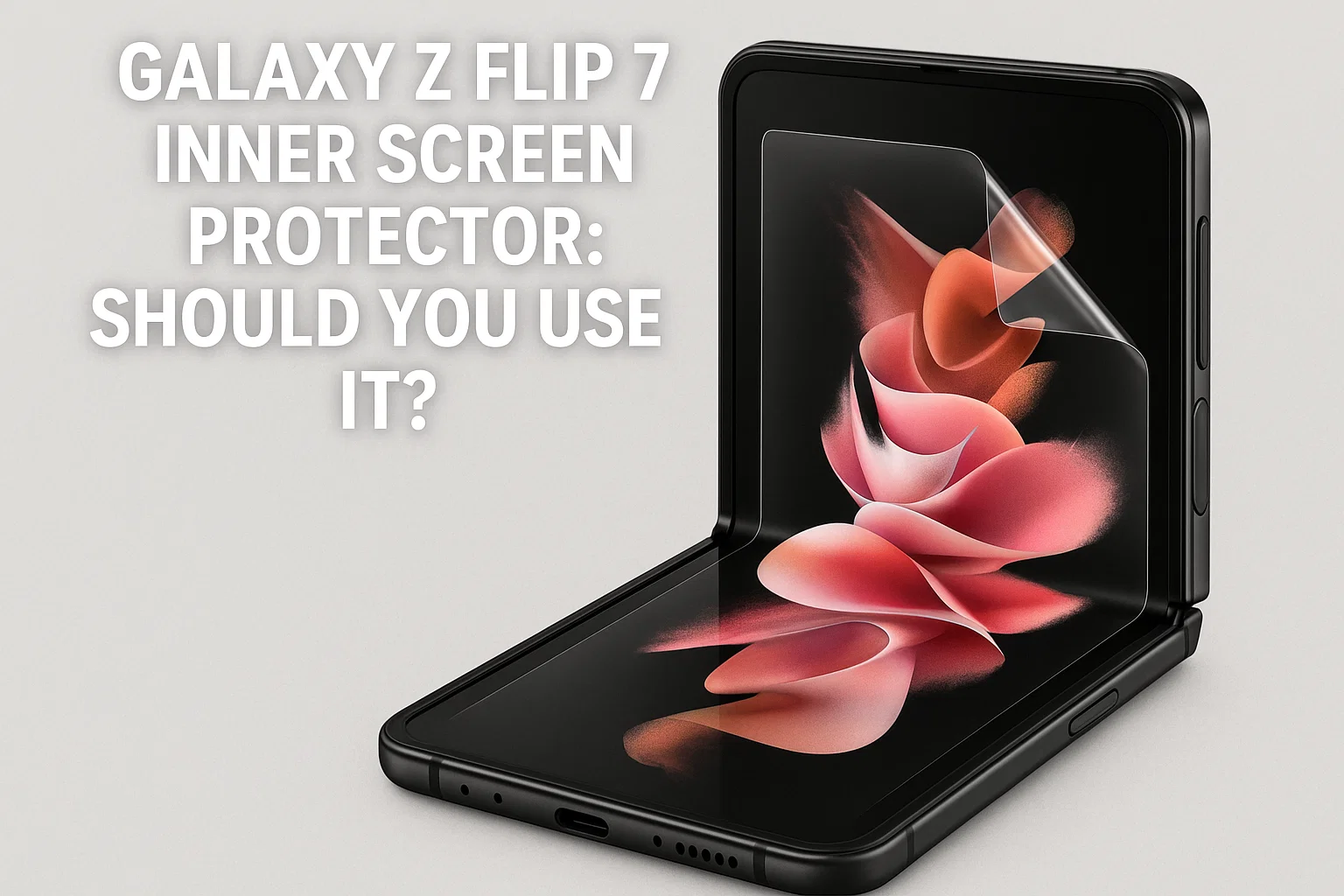
If you’re new to the Galaxy Z Flip 7, you’re probably wondering if you really need an inner screen protector. With foldable phones being so different from classic smartphones, many users are curious: is it safer to use the original film, replace it, or remove it altogether? Let’s break down what you need to know so you can enjoy your Z Flip 7 stress-free!
Galaxy Z Flip 7 Screen Protector Essentials
- The inner screen comes with a factory-installed film
- Removing the film can void your warranty
- Proper care prevents creases and dust buildup
- Replacing film should be done at an official service center
Do You Really Need an Inner Protector?
이 글과 함께 읽으면 좋아요
The inner screen protector is more than just an accessory—it’s part of Samsung’s design to ensure long-lasting durability of your foldable display. Removing it may look tempting but can seriously damage the soft ultra-thin glass underneath.
Samsung’s Factory Film: Why Is It There?
Every Galaxy Z Flip 7 comes with a pre-applied protective film on the inner screen. This is not just for scratches, but also to prevent micro-damage from repeated folding. Samsung warns that removing this film can weaken the display and even void the warranty, since the folding screen is far more delicate than regular glass screens.
What Happens If You Remove It?
If you peel off the original film, the ultra-thin glass becomes exposed to oils, dust, and scratches. Many users on forums have shared stories of immediate creasing or display malfunctions after removing the film—seriously, don’t risk it. If the protector is peeling or damaged, your safest move is to get it replaced at an official Samsung service center.
Using Without a Protector: Is It Possible?
Technically, yes, you can use the Flip 7 without the inner film, but almost no expert recommends it. Without the protector, everyday dust and even fingernail pressure can leave permanent marks. The Galaxy Z Flip’s warranty doesn’t cover display issues caused by removing or tampering with the film—so the “bare screen” life is risky business.
Screen Care and User Experience
The Galaxy Z Flip 7’s folding display is tough, but it’s not invincible. Even with the protector, it’s important to avoid sharp objects and keep the phone in a clean pocket. Moisture, dirt, or tiny grains of sand are the enemy—these can get trapped under the film and cause creases or worse, permanent lines on the OLED.
Cleaning Tips for Z Flip 7 Owners
• Always use a microfiber cloth, never paper towels or your shirt.
• If you see dust or a bubble under the film, visit a service center rather than try to peel it up yourself.
• Avoid high humidity environments and keep away from sticky fingers!
Replacing the Protector: How and When?
If your factory protector gets damaged, Samsung recommends only using authorized service. Most centers will replace it for free within warranty, and for a reasonable fee afterwards (in Korea, around 20,000–30,000 KRW, or about $15–$25). Unofficial films can sometimes leave residue or even cause screen malfunction—never use cheap knockoffs!
Warranty and After-Sales Service
Samsung’s official policy is clear: tampering with the inner film or applying third-party protectors can void your foldable’s screen warranty. If in doubt, always ask at the store or service center. For frequent users, Samsung Care+ is a strong choice, covering film replacements and accidental damage for a fixed yearly fee.
| Aspect | With Factory Film | Without Film |
|---|---|---|
| Warranty | Fully Covered | Voided for screen issues |
| Scratch Protection | Very High | Extremely Low |
| Touch Sensitivity | Optimized | More responsive, but risky |
Even though using the Z Flip 7 without a screen protector might feel “cleaner,” in real-world use, it’s almost never worth the risk—especially when repair costs can be several hundred dollars out-of-pocket.
Exploring Z Flip 7 Screen Protectors & Real Reviews
Now, let’s get into the real talk about Galaxy Z Flip 7 inner screen protectors—from what materials are best, what to avoid, and honest feedback from users. The experience with foldables is always evolving, and keeping your screen flawless isn’t just about protection—it’s about that luxurious, uninterrupted flex life!
| Protector Type | Pros | Cons |
|---|---|---|
| Factory-installed | No bubble risk, warranty safe, perfect fit | Can peel over time, must replace at center |
| 3rd-party PET film | Cheap, available online | Warranty risk, possible bubbles, less clarity |
| Ultra-thin TPU | More flexible, feels premium | Hard to install, yellowing possible |
Most users report that the factory-installed protector is by far the safest, even if it might peel slightly at the edges after a few months. Some brave souls on Reddit have tried third-party options, but many regretted it after seeing rainbow effects, poor touch response, or—worst of all—having warranty claims denied by Samsung. The community consensus: don’t mess with success. Stick to the original!
User Experiences: What’s It Really Like?
• “The inner film started peeling after 8 months, but Samsung replaced it in 15 minutes, no questions asked. Way less stressful than risking a $400 repair!”
• “Tried a third-party PET protector—regretted it! The fold started showing a weird rainbow line, and Samsung support said my warranty wouldn’t cover it.”
• “The factory protector feels smooth, not sticky, and almost invisible in daily use. Just be gentle—no fingernails or harsh wipes.”
One quirky tip: some users say a fresh inner protector feels *even better* than the one that comes with the phone, especially after a few months of use. And for the perfectionists—yes, it’s normal for a tiny crease to form at the hinge, even with the protector on. It’s a foldable thing, not a defect.
How to Get the Most From Your Flip
To keep your Z Flip 7 looking new, here are some expert-approved habits:
- Never press hard on the inner screen. The ultra-thin glass bends, but too much pressure can break the digitizer.
- Keep your device in a lint-free pocket or pouch—avoid keys or coins nearby.
- If you spot a bubble or dust under the film, head to a Samsung service center ASAP. DIY solutions usually make it worse.
- Consider getting Samsung Care+ for extended peace of mind, especially if you’re a frequent folder or a little accident-prone.
Remember: the best protector is care itself. The Z Flip 7 isn’t fragile—but it rewards gentle hands and a little extra attention.
Top Tips for Foldable Longevity
- Don’t remove the inner film yourself—get expert help
- Clean the screen only with a microfiber cloth
- Protect your Z Flip from dust, moisture, and sudden impacts
- Use a proper case for extra protection (especially for the hinge!)
In summary, using the original inner screen protector and taking care of your Galaxy Z Flip 7 will give you the best experience—no stress, no regrets, just smooth folding vibes. If you ever need a replacement, trust Samsung’s service. After all, a flawless screen is half the flex!
FAQ: Galaxy Z Flip 7 Inner Protector
Q. Can I remove the inner screen protector myself?
No, it’s highly discouraged. Removing it can void your warranty and expose the screen to permanent damage.
Q. Is the factory film really necessary?
Yes. It’s designed for the unique folding display to protect from scratches and micro-cracks.
Q. Can I replace it with a third-party protector?
Not recommended. Only use official replacements to maintain warranty and display performance.
Q. What if the film is peeling?
Visit a Samsung service center for a free or low-cost replacement, especially if under warranty.
Q. Will bubbles under the film go away?
Small bubbles sometimes disappear on their own, but dust or debris bubbles should be checked at a service center.
Q. Is touch sensitivity affected by the protector?
The original film is optimized for perfect touch. Third-party films may reduce sensitivity or cause “rainbow” effects.
Q. Can I use the Z Flip 7 without any film?
Technically yes, but it’s risky and voids warranty on screen-related issues.
Q. How much does official replacement cost?
Around $15–$25 (20,000–30,000 KRW) in Korea. Prices may vary globally.

Bluetooth keeps disconnecting, phone issue or car issue
Frequent Bluetooth disconnections are usually caused by either your phone or your car’s infotainment system. Since Bluetooth requires...
Q. How often should I replace the protector?
Only when it’s peeling, bubbling, or damaged. Otherwise, leave it on!
Q. Does the crease get worse over time?
A faint crease is normal and doesn’t affect function. Aggressive use or no protector may worsen it.
Q. Is screen discoloration a film issue?
Usually not—discoloration comes from pressure or bending stress, not the protector itself.
Q. Are there glass protectors for the Z Flip 7?
No, glass isn’t suitable for folding screens. Only thin film protectors are available.
Q. Can I use cleaning sprays?
Use only a dry microfiber cloth. Liquids can seep under the film and cause damage.
Q. Does the outer screen need a protector?
Yes, but regular glass protectors are fine for the outer display. Only the inner needs special care.
Q. What if the film is scratched?
If minor, just keep using. For deep scratches, visit a service center for replacement.
Q. Can the protector cause touch lag?
The original film does not. Third-party films sometimes do, especially cheap ones.
Q. Will Samsung fix a film issue outside warranty?
Usually yes, for a small fee. Always ask before repairs.
Q. Can I use a stylus on the inner screen?
No, avoid any stylus or sharp objects—they can puncture the film and screen.
Q. Is there a difference between Flip 7 and older models?
The film tech has improved, but the basic care principles are the same.
Q. Will removing the film void my Care+ insurance?
Yes, intentional removal or third-party protectors can void Care+ for screen repairs.
Q. Can I buy the original protector online?
Official protectors are not sold separately; only service centers offer replacements.
Q. How can I tell if my film needs replacement?
Look for peeling edges, bubbles, or loss of clarity—these are signs it’s time to replace.
Q. Does Samsung cover damage if the film is removed?
No, screen repairs without the official protector are usually not covered.
Q. How do I protect the hinge area?
Keep it clean and avoid dust—don’t use sharp objects to clean near the crease.
Q. Can kids use the Flip 7 safely?
Yes, with supervision—remind them to be gentle with the inner screen!
Q. Is there a special way to fold or unfold?
Always fold/unfold slowly and gently to preserve the screen and film.
Q. Can dust get under the protector?
Rare, but possible if the film is peeling. Address it quickly at a service center.
Q. Does the Flip 7 film yellow over time?
Official films rarely yellow. Some third-party films may discolor after months.
Q. Should I get insurance for my Flip?
Strongly recommended for expensive foldables—covers screen, film, and more.
Q. Can I DIY replace the film?
Not advised—the risk of bubbles, dust, or warranty issues is high.
Q. Does using a case affect the protector?
No, but make sure the case doesn’t press on the screen edges to avoid lifting the film.
함께 읽으면 좋은 글
관련된 인기 콘텐츠를 확인하세요





